





Our Safe School
At North Road Community Primary School, the safety and wellbeing of our pupils, families, staff and visitors is very important to us, We work together as a school family to ensure that all members of our school community feel safe and happy whilst learning, playing, working and visiting our wonderful school. In order to help us ensure that our school is a happy and safe environment for all, we ask that you:
- Ensure that your mobile phone is not used and is kept in a pocket or bag whilst you are on our school premises.
- Ensure that you leave the school site promptly at the start and end of a school day and do not allow your child to play on the play equipment unsupervised.
- Ensure that pre school siblings remain within your close care when accompanying you onto the school premises.
- Ensure that pet dogs do not come into the school building or onto the playground or school field.
- Ensure that bikes and scooter are placed in the storage area and are not brought onto or used on the school playground.
- By working together, we can ensure that we keep everyone happy and safe and that our school remains a great place to be.
Below are links to some of our school policies which share in more detail how we ensure that our commitment to the health, safety and well-being of all members of our school family is achieved.
Thank you for helping us to ensure that our school is a fun, happy and safe place to be.
Safeguarding and Child Protection Policy 2025
H and S Policy Framework Part One 2025
H and S Policy Document Part Two_2025
Relational Behaviour Policy 2024
How to keep safe online
At school we teach an Internet Safety programme, developed by Google, called ‘Be Internet Legends’. This programme covers five main areas to help keep children safe online:
- Think before you share
- Check it is for real
- Protect your stuff
- Respect each other
- When in doubt, discuss.
Parental Guides
As social networking sites and online gaming sites are becoming more and more popular, please take the time to look through these useful parental posters regarding internet safety.
Pokemon Go
Here is some useful information from NSPCC and UK safer Internet Centre regarding Pokemon Go and some advice for parents.
https://www.nspcc.org.uk/keeping-children-safe/online-safety
http://www.saferinternet.org.uk/news/pokemon-go-gaming-gone-mobile
e-Safety Information and Links
In school, we have regular e-safety activities and lessons to remind children of the importance of keeping themselves and others safe online.
At home, sometimes children can be given unsupervised access to the Internet. This, potentially, allows them to access all kinds of society (both good and bad) and bring them virtually into their homes.
Here are some tips and useful links to help you to keep your children safe online:
- Explore e-safety sites– There are lots of links to useful e-safety sites for children at the bottom of this page. Why not browse through them with your children?
- Facebook / Instagram / etc– Many of these sites have a minimum age limit of 13, so pupils should not be using them.
- Keep your computer in a shared area– Talk to your child about what they are doing online and, if possible, set up your computer in a shared area at home so that you can all share in the wonderful sites that are available online.
- Regularly checking their phone/tablet – Regularly checking your child’s phone or tablet helps monitor their activities on devices that are often kept private.
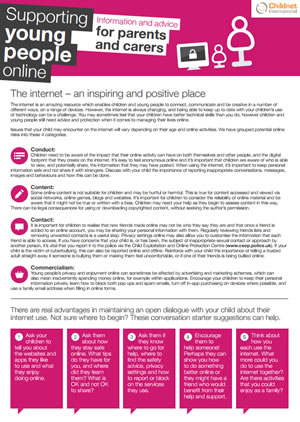
Download: Supporting young people online


Some links to more information:
For young people:
- Think U Know (www.thinkuknow.co.uk ) – This site contains internet safety advice for those aged from 5 to 16, along with parents and teachers, this site is produced by CEOP (the Child Exploitation and Online Protection Centre).
- Brook – ( www.brook.org.uk )For their booklet on relationships, safety and risk online and offline
- Childnet (www.childnet.com/resources) – lots of useful advice for keeping yourselves and your children safe on the Internet.
- ChildLine (www.childline.org.uk) – 0800 1111 for immediate support – Information on relationships, rights and other issues faced by young people .
- CEOP (formerly the Child Exploitation and Online Protection Centre) – ( www.ceop.police.uk )
For parents:
- Parent Zone – information and help on a range of parenting topics, with special emphasis on digital parenting – parentzone.org.uk
- CEOP – also has information for parents https://www.ceopeducation.co.uk/professionals/
Vodaphone Digital Parenting Checklists
Vodaphone produce some useful checklists for parents of different aged children to support them with addressing online safety issues.
Under 5 checklist
- START setting some boundaries now – it’s never too early to do things like set limits for the amount of time they can spend on the computer
- KEEP devices like your mobile out of reach and make sure you have passwords/PINs set up on them for the times you might lend them to your child… or for when they simply get hold of them themselves!
- CHECK the age ratings and descriptions on apps, games, online TV and films before downloading them and allowing your child to play with or watch them
- EXPLAIN your technology rules to grandparents, babysitters and parents of your child’s friends so that they stick to them when they’re looking after your child
- REMEMBER that public Wi-Fi (e.g. in cafés) might not have Parental Controls on it – so, if you hand over your iPad to your child while you’re having a coffee, they might be able to access more than you bargained for
- SET the homepage on your family computer or tablet to an appropriate website like Cbeebies
Age 6-9 Checklist
- CREATE a user account for your child on the family computer with appropriate settings and make the most of Parental Controls and tools like Google SafeSearch
- AGREE a list of websites they’re allowed to visit and the kind of personal information they shouldn’t reveal about themselves online (like the name of their school or their home address)
- DECIDE time limits for things like using the internet and playing on games consoles
- BEAR in mind what older siblings might be showing them on the internet, mobiles, games consoles and other devices and agree some rules as a whole family
- TALK to other parents about their views on things like what age to buy kids a mobile and don’t be pressured by your child into letting them use certain technologies if you don’t think they’re old enough or mature enough… no matter how much they pester you
- FAMILIARISE yourself with age ratings and descriptions on games, and apps etc, so that you can be sure your child is only accessing age-appropriate content
Age 9 – 12 checklist
- MAKE sure you’ve set some tech boundaries before they get their first mobile or games console – once they have it in their hands, it can be more difficult to change the way they use it
- REMIND your child to keep phones and other devices well hidden when they’re out and about to minimise the risk of theft
- TALK to them about what they post and share online – written comments, photos and videos all form part of their ‘digital footprint’ and could be seen by anyone and available on the Web forever
- DISCUSS the kind of things they see online – this is the age when they might be looking for information about their changing bodies and exploring relationships, for example
- HOLD the line on letting your son or daughter sign up for services like Facebook and YouTube that have a minimum age limit of 13 – talk to other
- parents and their school to make sure everyone is on the same page
- REMIND them that they shouldn’t do anything online that they wouldn’t do face-to-face
Further tips and information can be found on the Vodafone website https://www.vodafone.com/content/parents/get-started.html
